

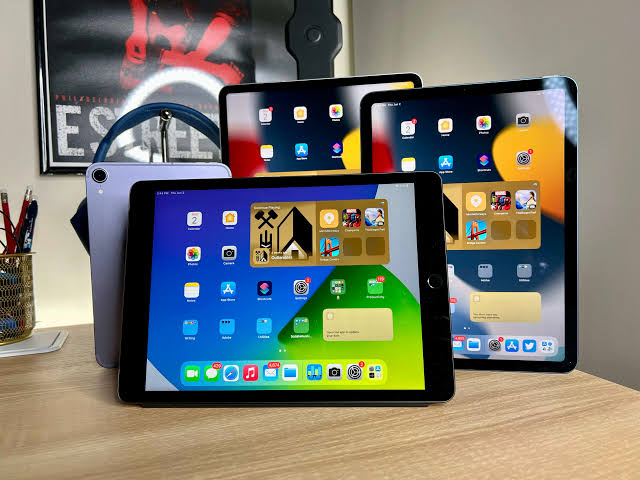
Tablet-based conference check-in typically processes each attendee in 10 to 20 seconds, compared to a minute or more with paper lists or manual searches. Scanning a QR code or ticket barcode pulls up the attendee’s details instantly, confirms their registration, and can trigger badge printing automatically. Speed on the day depends on a few things though, including app design, venue Wi-Fi strength, and how many check-in stations you’ve set up. Below, we’ll walk through exactly what affects check-in speed, and how to set your registration desk up to move attendees through as quickly as possible.
Here’s what typically determines how fast your registration desk moves:
- QR or barcode scanning: 10 to 20 seconds per attendee
- Manual name search: 30 to 60 seconds per attendee
- Paper-based lists: often over a minute, especially during peak arrival times
- Number of stations directly multiplies your total throughput
- Stable Wi-Fi or offline mode prevents delays from connectivity drops
If you’re planning registration for your next event and want to see exactly how a tablet setup compares to your current process, it’s worth taking a closer look at what’s involved before booking. Learn More about how the equipment and setup typically work together on the day, since the details matter more than most people expect going in.
Why Tablets Speed Up Conference Check-In
Paper lists rely on a human eye scanning down a page, which slows down fast the moment names are misspelled, duplicated, or simply hard to find under pressure. A tablet running a registration app removes that guesswork entirely by matching a scanned code directly to a database record.
Tablet rental for conference registration also means every station runs the same software and the same attendee list in real time, so there’s no risk of double-checking someone in at two different desks, which is a genuine problem with paper-based systems at larger events.
What Affects Check-In Speed
A few practical factors decide whether your check-in desk flies or crawls on the day.
- App design: a clean, purpose-built registration app scans and confirms in seconds, while clunky software adds unnecessary taps and screens.
- Network reliability: venue Wi-Fi can be patchy, so apps with offline mode avoid delays when the connection drops.
- Badge printing: automatic printing triggered by a scan is faster than manually typing names into a separate printer queue.
- Staff familiarity: even the best tablet setup slows down if staff haven’t had a quick run-through beforehand.
- Number of stations: doubling your check-in points roughly halves the average queue time during peak arrivals.
Tablet Check-In vs Paper Check-In
Here’s how the two approaches compare directly.
| Factor | Tablet Check-In | Paper Check-In |
| Speed per attendee | 10 to 20 seconds | 30 to 90 seconds |
| Duplicate check-ins | Prevented automatically | Common at busy events |
| Real-time attendee data | Yes, across all stations | No, manual reconciliation needed |
| Scalability for large events | Easy to add stations | Gets messier as numbers grow |
What to Look for in Tablet Rental Services
Not every provider offering tablet rental services sets devices up the same way. Some hand over bare tablets and leave configuration entirely to you, while others handle app installation, network testing and staff briefings as part of the package.
This is where choosing an experienced partner makes a genuine difference on the day. The Tekk Group configures devices, tests connectivity and briefs staff before doors open, so your registration desk is running smoothly from the very first attendee rather than working out kinks during a live queue.
Setting Up Tablets for Fast Registration
When you rent tablets for events, a bit of preparation before doors open makes a bigger difference than any single piece of hardware. Test scanning speed with sample codes, confirm Wi-Fi strength at the exact spot your desk will sit, and run through the check-in flow with staff at least once.
For a short term tablet rental covering a single-day conference, keep the setup simple. A handful of well-configured tablets with reliable scanning will comfortably outperform a larger number of poorly set up devices.
Tablet hire for corporate events or multi-day conferences benefits from a slightly different approach, since devices need to hold up across several days of continuous use, with charging routines built into the schedule between sessions.
Tablet Rental for Business Events Beyond Registration
Tablet rental for business use often extends past the registration desk too, covering lead capture at exhibition stands, live polling during sessions, or feedback collection at the end of the day. Booking tablet hire services that support multiple use cases in one package can be more efficient than hiring separate equipment for each task.
Frequently Asked Questions
1. How many tablets do I need for conference check-in?
A rough guide is one station per 150 to 200 expected arrivals within the first hour, adjusted based on how tightly your event’s start time is scheduled.
2. Does tablet check-in work without internet access?
Many registration apps support offline mode, syncing data once connection returns, which prevents delays if venue Wi-Fi is unreliable.
3. Can tablets print badges automatically during check-in?
Yes, most modern registration systems trigger badge printing the moment a scan confirms a valid attendee, cutting out manual entry entirely.
4. How long does it take to set up tablets before an event?
Configuration, app installation and network testing usually take a few hours, so it’s best scheduled the day before or early on event morning.
5. What happens if a tablet stops working during check-in?
A reliable provider will supply spare devices ready to swap in immediately, keeping queue disruption to a minimum.
6. Is tablet hire suitable for small events too?
Yes, even a single tablet at a small registration desk speeds things up considerably compared to a printed attendee list.
Final Thoughts
Speed at your registration desk sets the tone for the whole event, and tablets genuinely change how quickly attendees move from the door to their seat. Getting the setup right, from app choice through to network testing, makes far more difference than the hardware alone.
For organisers planning their next event, The Tekk Group brings the practical experience needed to get check-in running smoothly from the first attendee onward, without the trial and error of figuring it out on the day.
