

Table of Contents
- Start With Business Needs
- Create a Simple Network Map
- Estimate Speed and Bandwidth Needs
- Plan Reliable Wireless Coverage
- Build Security Into the Design
- Prepare for Outages and Disasters
- Monitor Performance Over Time
- Set a Practical Technology Budget
- Use a 30-Day Network Planning Checklist
- Final Thoughts
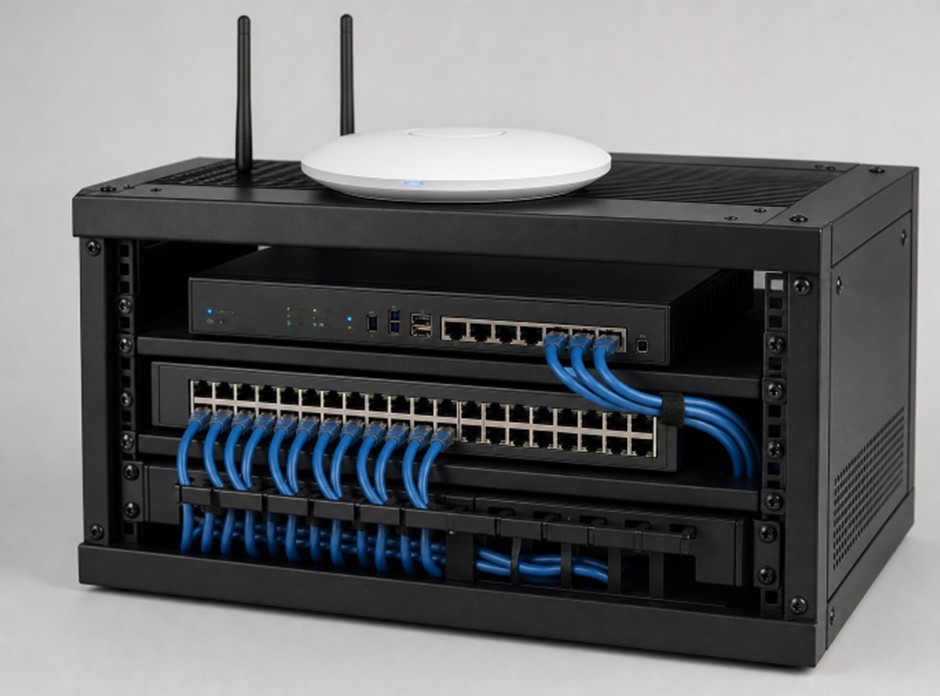
A dependable network supports nearly every part of a modern small business, from payment systems and cloud software to video meetings, phones, printers, and security cameras. Before choosing equipment, review a beginner’s guide to network devicesa so you can better understand the roles of routers, switches, wireless access points, and firewalls in a practical office setup.
The best network plan begins with how your business actually works. A retail store may prioritize stable checkout terminals, a law office may need secure file access, and a design team may require quick transfers of large files. Planning around daily operations prevents expensive surprises later.
- Start With Business Needs
Begin by listing the people and systems that depend on the network each day. Include employees, contractors, customers using guest Wi-Fi, remote workers, point-of-sale systems, cloud applications, voice services, cameras, and smart devices. Ask which systems cannot be offline, even briefly, and which activities create the most frustration when performance slows.
Also consider the next 12 to 24 months. Will you add staff, expand into another suite, introduce more cameras, or move additional records into cloud software? Businesses that need help translating these needs into a support plan can use managed IT services to align technology decisions with operational priorities.
- Create a Simple Network Map
A network map does not need to be an engineering drawing. A clear sketch is enough to show where the internet service enters the building, where the core equipment sits, and how major devices connect. Include offices, shared work areas, storage rooms, meeting spaces, wireless access points, printers, phones, cameras, servers, and backup equipment.
For each item, record its location, purpose, connection type, power source, administrator, and approximate replacement date. This simple record can expose shared risks. For example, if the front desk computer, payment terminal, and security camera all rely on one aging switch, a single failure could affect several important operations.
- Estimate Speed and Bandwidth Needs
Internet speed affects access to cloud services, websites, video calls, and off-site backups. Internal network capacity affects how quickly devices share files and communicate within the building. Both matter. Make a list of bandwidth-heavy activities, then identify when they happen at the same time.
- Video meetings and hosted phone calls
- Cloud backup and file synchronization
- Large file transfers and software updates
- Payment processing and customer Wi-Fi
- Camera recording, remote viewing, and smart devices
Plan for busy periods, not a quiet moment in the morning. Leave room for growth and avoid selecting a service that only barely meets current demand. A small amount of extra capacity can prevent slowdowns when several teams are active at once.
- Plan Reliable Wireless Coverage
Wi-Fi coverage should be tested where people work, not just near the router. Walls, metal shelving, appliances, dense storage, and multiple floors can weaken signals. Walk through the entire space during business hours and test the applications employees actually use, especially calls, cloud software, and file transfers.
More access points are not automatically better. Poor placement can create overlap and interference. Position equipment to provide even coverage in work areas, then adjust based on test results. Keep wireless units out of enclosed cabinets and away from obvious physical obstructions whenever possible.
- Build Security Into the Design
Security is easier to manage when it is built into the network from the start. Create separate network access for employees, guests, and connected devices such as cameras, thermostats, or printers. A guest device should not have the same path to sensitive business systems as a payroll computer.
Use strong, unique administrator passwords, multifactor authentication where available, encrypted Wi-Fi, current firmware, and limited permissions for every user. The Federal Trade Commission’s guidance for securing a small-business network also emphasizes updates, backups, access limits, and separate guest wireless access. Keep an inventory of equipment and remove old accounts promptly when staff or vendors no longer need access.
- Prepare for Outages and Disasters
Internet outages, power failures, damaged cables, failed hardware, and severe weather can interrupt even a well-designed network. Identify the functions that must continue, such as payment processing, customer communication, or access to essential records. Then create a realistic fallback plan.
- Use battery backup power for core networking equipment.
- Keep spare cables and critical replacement hardware available.
- Consider a backup internet connection for essential operations.
- Maintain cloud or off-site backups and test restoration procedures.
- Document provider contacts, support numbers, and staff responsibilities.
A written response plan helps employees act quickly when a problem occurs. The Small Business Administration recommends that owners prepare for emergencies by assessing risk and planning for recovery before a disruption happens.
- Monitor Performance Over Time
Do not wait for repeated complaints before checking network health. Track useful measures such as uptime, connection drops, upload and download performance, latency during work hours, wireless signal quality, equipment temperature, and peak capacity use. A single speed test can look normal while a month of results reveals a recurring afternoon slowdown.
- Set a Practical Technology Budget
The lowest upfront price is not always the lowest long-term cost. Include equipment, installation, licensing, monitoring, backup power, security updates, technical support, and scheduled replacement in the budget. Prioritize changes by business impact. Fixing a payment-system failure risk or warehouse dead zone usually matters more than replacing equipment that still performs well.
- Use a 30-Day Network Planning Checklist
Week One: Review Current Needs
- List users, devices, locations, and essential applications.
- Record outages, complaints, and systems that cannot go offline.
Week Two: Map and Test
- Create a network map and test Wi-Fi throughout the workspace.
- Measure performance during the busiest work periods.
Week Three: Reduce Risk
- Review passwords, administrator accounts, updates, and backups.
- Separate guest, employee, and device traffic.
Week Four: Plan Improvements
- Rank problems by operational impact and set a budget.
- Write an outage response plan and schedule a quarterly review.
Final Thoughts
A reliable small-business network is a foundation for productive work, secure data, and better customer service. When you understand daily needs, document the setup, test real conditions, protect sensitive systems, and plan for failure, your network becomes easier to manage and better prepared to support growth.
