

Gaming gear marketing wants you to believe good sound arrives in one expensive box. In reality a staged game audio upgrade beats one big blind purchase almost every time: you fix the weakest link first, listen for a week, and let what you hear decide the next step — if there is one. Plenty of players stop after step one and never miss the rest. The cheapest upgrade of all, meanwhile, is completely free, and most people skip straight past it to the checkout.
This guide orders the steps by how much difference each one makes per unit of money, so you can stop the moment your setup stops bothering you.
Step 0: settings before spending
- Choose the headphone mix preset in your games; the default is usually mixed for a TV across the room.
- Turn off platform audio ‘enhancements’ and test any spatial audio one feature at a time.
- Match your system’s output device and format to what you actually use, and disable devices you don’t.
- Lower in-game music a few decibels in competitive titles so cues and callouts sit on top.
Spend one evening here, playing familiar maps or levels, before a single purchase. If a problem survives good settings, it is real, and now you know exactly which problem your money has to solve.
If a setting makes things worse, note it and move on — half the value of the evening is learning what your current setup already does well. Players routinely discover that the ‘broken’ sound they were about to spend money fixing was one television preset and one enhancement suite quietly fighting each other. Settings are also the only upgrade that transfers perfectly to every future headset, console and PC you will ever own.
Step 1: headphones first
If money does get spent, it goes here, because this is where game audio is won or lost. The headphones decide imaging, detail, comfort across a long session, and how much of the mix exists for you at all. A modest, well-chosen wired pair with accurate imaging will outperform a flashy headset with a feature list and a muddy middle every single match. Comfort is a performance feature: a clamp that hurts at hour two costs you focus no specification can refund. Buy for fit, honesty and imaging, in that order. Try before you buy whenever a shop allows it.
Step 2: a clean source
Once the headphones are sorted, listen to your source honestly. Play nothing and turn the volume up: if you hear hiss, buzz, or noise that changes when the game gets busy, your onboard output is the bottleneck, and no headphone can filter it out. A small external DAC stage — even an inexpensive one — moves conversion away from the electrical noise of the PC and improves game audio more than any software tweak can. If your output is already silent and loud enough, skip this step with a clear conscience; it fixes a specific fault, not a general feeling.
Step 3: microphone and comfort
If you play with friends or stream, the next money goes to being understood. A separate, inexpensive microphone placed near your mouth beats any headset’s afterthought mic, and it frees your headphone choice from needing one attached. Then comfort upgrades: replacement ear pads when the originals flatten, a cable that does not fight you, a stand that keeps the kit off the desk’s battlefield. None of this is glamorous. All of it gets used every session, which is more than most upgrades can claim.
While you are spending small, spend five minutes on placement too. A microphone on a cheap arm, six inches from your mouth, will embarrass an expensive one left flat on the desk beside the keyboard. Headphones benefit from the same logic: pads that seal properly and a cable routed so it never snags mid-fight are worth more than half the accessories in a gaming catalogue, and they cost almost nothing to get right.
What to skip
- Virtual-surround dongles and software promising stadium sound from two drivers; they rarely improve game audio and often smear the imaging you paid for.
- A second headset ‘for a different genre’. One honest pair, tuned with EQ presets, covers everything.
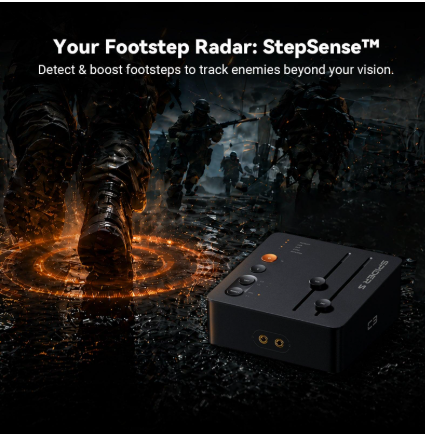
- RGB tax, in all its forms. Lights have never once located a footstep.
- The flagship anything, bought first. Flagships reward people who already know their preferences; steps one to three are how you learn yours.
Work the steps in order and stop when it sounds right — a staged game audio upgrade is cheaper, smarter, and leaves you with a setup you actually understand. When you reach the stage of adding dedicated gear, browsing a game audio range with your specific bottleneck in mind turns a bewildering market into a short list.
